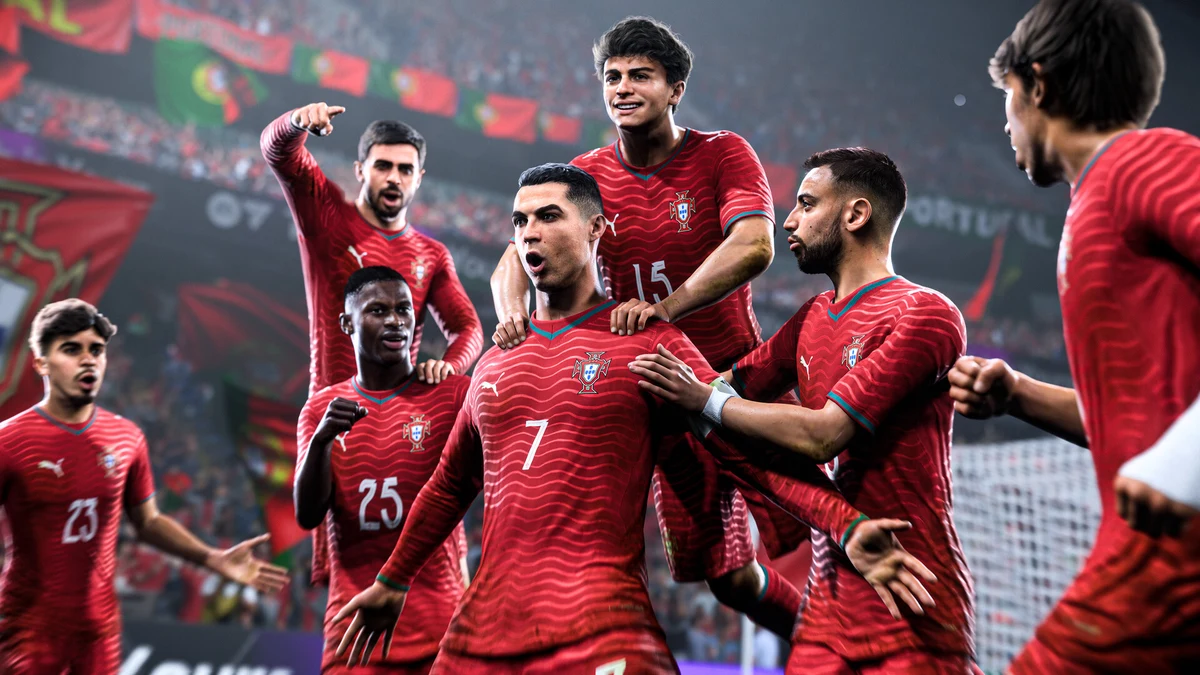
Booting up EA Sports FC 26 for the first time can feel like walking into a stadium mid-match — there’s a lot happening, and nobody hands you a program. Between Ultimate Team packs, Career Mode job offers, and Clubs matchmaking, the game throws a dozen decisions at you before you’ve even touched the pitch. This guide strips all of that down to what actually matters: picking the right mode for how you like to play, understanding the controls and presets that shape every match, and picking up the habits that separate frustrated newcomers from players who start winning within a week.
If you want the bigger picture first — release details, roster info, and everything else new this year — our complete EA Sports FC 26 guide covers the full rundown. This article is about getting you comfortable with the sticks and menus.
Step One: Pick the Mode That Fits You
FC 26 isn’t one game — it’s three or four different games wearing the same engine. Choosing the wrong one first is the number one reason new players bounce off the game entirely.
Career Mode: For Story and Long-Term Building
Career Mode is the offline, single-player heart of the game. You either take control of a club as a manager — handling transfers, tactics, training, and finances — or you create a player and live out their career from academy prospect (or, new this year, a dedicated goalkeeper storyline) to superstar.
This is the mode to pick if you want a slower, story-driven experience where your decisions compound over seasons rather than minutes. There’s no pack-opening pressure, no online opponents, and no pay-to-win anxiety. For a full breakdown of Player Career versus Manager Career, our EA FC 26 Career Mode guide walks through both paths in detail.
Ultimate Team: For Collecting and Competing
Ultimate Team (FUT) is EA’s card-collecting, squad-building mode. You open packs, buy and sell players on the transfer market, and build a dream XI made up of real footballers with individual stats and chemistry links. It’s the most popular mode by a wide margin, but it’s also the steepest learning curve — chemistry, meta player styles, and market economics all take time to click.
If you’re drawn to this mode, don’t dive into competitive Rivals matches on day one. Start with Squad Battles against the AI to learn your squad, then read our EA FC 26 Ultimate Team tips guide before you spend a single coin on the transfer market.
Clubs: For Playing With Friends
Clubs puts you in one position on a team of up to 11 human players, all controlling a single virtual club together online. It’s the closest thing to organized five-a-side football in the game, and this year it’s had the biggest overhaul of any mode, including a new Be-a-Goalkeeper option and deeper player Archetypes that shape how your created pro develops.
Clubs rewards teamwork and communication over solo skill, so it’s the natural pick if you and a few friends want to queue up together regularly.
Quick Comparison
| Mode | Best For | Time Commitment | Learning Curve |
|---|---|---|---|
| Career Mode | Story, single-player, club management | Long-term (seasons) | Low to moderate |
| Ultimate Team | Collecting cards, competitive online play | Ongoing, daily objectives | Steep |
| Clubs | Playing with friends as a team | Session-based | Moderate |
| Kick-Off / Quick Match | Jumping in for one game | Minutes | Very low |
If you’re still unsure, start with Kick-Off matches using a licensed club you already know. It’s the fastest way to learn the controls without any long-term commitment attached.
Understanding the Controls and Gameplay Presets
FC 26 introduced two gameplay presets — Competitive and Authentic — and picking the right one changes how the entire game feels before you’ve touched a single setting.
- Competitive preset: Faster transitions, snappier passing, and more responsive animations. Built for online play where reaction time matters.
- Authentic preset: Slower build-up, more realistic ball physics, and animations that mirror real broadcast football. Better suited to Career Mode or players who want a simulation feel.
New players should try both in a practice match before settling in, because the preset affects passing weight and dribbling responsiveness more than almost any other setting in the menu.
Core Controls Every Beginner Should Drill
You don’t need to memorize a combo list to be competent. Focus on these fundamentals first:
- Basic passing and through balls — short passes on the ground are far more reliable than lobbed balls for beginners. Learn timing before you learn variety.
- Sprint and finesse dribbling — holding sprint constantly makes you predictable and easy to dispossess. Learn to dribble at jogging speed to keep close control.
- Contain defending, not tackling — spamming the tackle button gets you beaten every time. Hold contain (usually the sprint/tackle modifier) and wait for the attacker to make a mistake before committing.
- Shot power and timing — a well-timed finesse shot from a reasonable angle will outscore a full-power blast from 30 yards nine times out of ten.
- Skill moves in moderation — flashy skill moves look great in clips but often lose the ball against a patient defender. Use them to create half a yard of space, not as your entire attacking plan.
Player Archetypes and PlayStyles
If you’re building a Pro for Career Mode or Clubs, Archetypes are worth understanding early. They’re preset builds — Finisher, Creator, Boss, Target Striker, No Nonsense Defender, and others — that shape your attribute growth and unlock specific PlayStyles. Pick an Archetype that matches how you actually play rather than the one with the flashiest name; a Balanced Midfielder Archetype will serve most new players better than a hyper-specialized one until you understand your own tendencies on the ball.
Settings That Make a Bigger Difference Than You’d Think
- Camera angle: Broadcast or Tele Broadcast cameras give you the widest view of the pitch and are generally easier for beginners than the zoomed-in Player camera.
- Difficulty: Start on Amateur or Semi-Pro against the AI. Dropping your ego for a week to actually learn positioning pays off far more than grinding out ugly wins on a harder difficulty.
- Frame rate over resolution: If your setup allows a choice, prioritize a stable frame rate. Football at this speed is far more forgiving with smooth input response than with sharper visuals.
- Custom tactics: Don’t touch these until you’ve played at least a handful of matches. The default tactics for licensed clubs are tuned reasonably well, and tinkering blind usually makes your team worse, not better.
Common Beginner Mistakes to Avoid
- Chasing every loose ball with the tackle button instead of jockeying and containing.
- Sprinting everywhere, which drains stamina and telegraphs your movement.
- Ignoring stamina management in longer sessions — tired players lose duels and misplace passes.
- Jumping straight into Ultimate Team’s competitive Rivals mode before learning basic mechanics in Squad Battles.
- Overloading a custom Pro with boosted stats in every category instead of specializing based on Archetype.
Frequently Asked Questions
Q: What’s the best mode for someone who has never played a FIFA or FC game before? Start with Kick-Off matches using a club you recognize, then move into Career Mode. It’s forgiving, offline, and lets you learn at your own pace without online opponents punishing every mistake.
Q: Should I use the Competitive or Authentic gameplay preset as a beginner? Try both, but most new players find Authentic easier to learn fundamentals on since the pace is slower and passing feels more grounded. Switch to Competitive once you’re comfortable and plan to play online.
Q: Do skill moves matter for beginners? Not as much as defending and passing discipline. A small handful of simple moves — like a step-over or a ball roll — will take you further early on than trying to learn an advanced combo list.
Q: Is Ultimate Team too complicated to start with as a total beginner? It’s not impossible, but it has the steepest curve of the major modes. If you do start there, stick to Squad Battles against the AI and read up on chemistry before spending coins on the transfer market.
Q: What difficulty should I play on when starting out? Amateur or Semi-Pro. It feels slow at first, but it lets you actually practice positioning, passing, and defending instead of just reacting to a faster AI.
The Bottom Line
FC 26 rewards patience far more than reflexes in the long run. Pick the mode that matches how you actually want to spend your time, get comfortable with passing, contain-defending, and stamina management before chasing skill moves, and don’t be afraid to play a difficulty that feels “too easy” while the fundamentals sink in. Once the controls feel natural, branch out — check our EA FC 26 Ultimate Team tips for squad building advice, our list of the best young players and wonderkids if Career Mode has you hooked, and our complete EA Sports FC 26 guide for everything else the game has to offer this year.