One of the first forks in the road for anyone getting into PC gaming is deciding whether to buy a finished, ready-to-go prebuilt system or source and assemble the parts yourself. Both paths can get you to the same destination, a capable gaming PC, but they get you there very differently, and the right choice depends heavily on your budget, your comfort with hardware, and how much you value your own time. There’s no universally correct answer here, so it’s worth understanding the real tradeoffs rather than just following whichever camp is louder online.
The Cost Comparison Isn’t as Simple as It Sounds
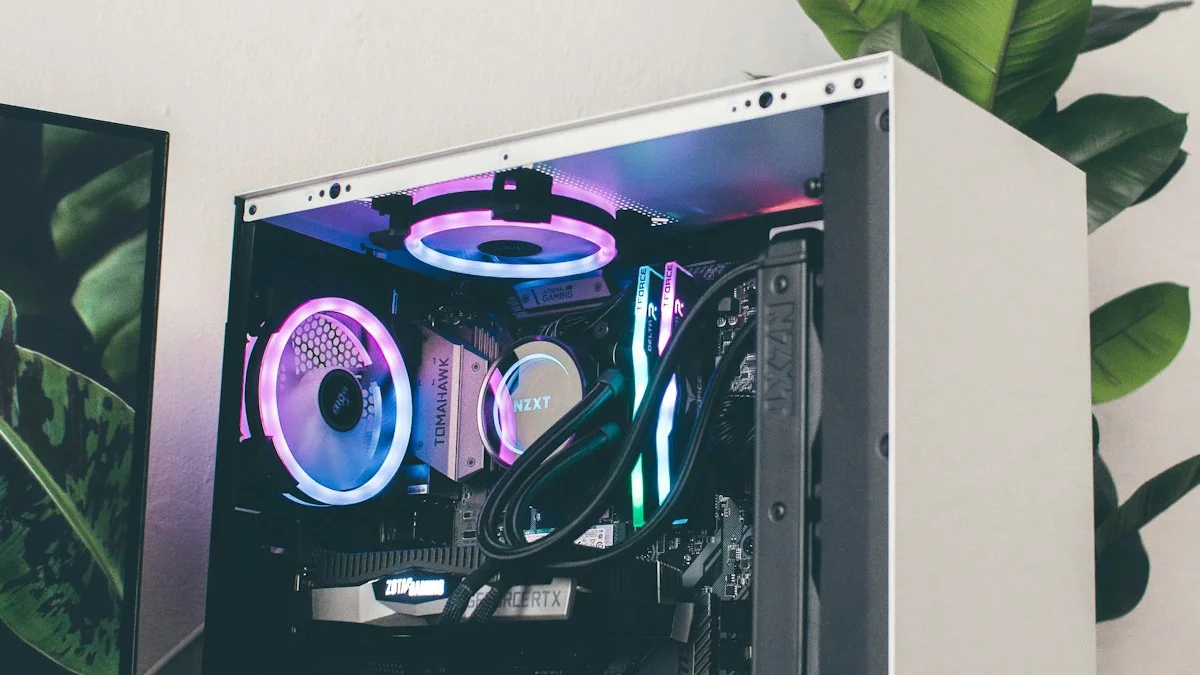
The conventional wisdom that building your own PC is always cheaper than buying prebuilt has gotten murkier in recent years, and it’s worth understanding why. Component prices, particularly for memory and graphics cards, have risen due to ongoing chip supply pressures, which narrows the gap between what a manufacturer can source parts for in bulk and what an individual buyer pays at retail. Large system builders also buy components at volume discounts that individual shoppers can’t access, and they can occasionally offer promotional pricing that undercuts a self-built equivalent, especially during sales events. That said, building your own system still generally offers more control over exactly where your money goes. A self-built PC lets you allocate your budget precisely, putting more into the GPU and less into cosmetic extras you don’t care about, whereas prebuilt systems often bundle in things like RGB lighting, proprietary cases, or bundled peripherals that inflate the price without necessarily improving gaming performance. The real answer is that neither option has a permanent cost advantage; it depends on current pricing, the specific build, and how much you value flexibility in component selection.
Warranty and Support Work Very Differently
This is one of the areas where prebuilt systems have a genuine structural advantage. When you buy a prebuilt PC, you typically get a single warranty covering the entire system, and if something goes wrong, you have one company to call, and often the option to ship the whole unit back for diagnosis and repair. That single point of contact is a meaningful convenience for buyers who don’t want to troubleshoot hardware issues themselves. With a custom build, warranty coverage is split across every individual component, each with its own manufacturer, its own return policy, and its own process for diagnosing faults. Figuring out whether a problem is your GPU, your power supply, or a loose cable becomes your responsibility, and while PC building communities are generally helpful with troubleshooting, there’s no single 1-800 number to call. If having a straightforward support path matters to you, that alone might tip the decision toward prebuilt, even at a slightly higher price.
Upgradability Favors Custom Builds, With Some Caveats
Custom-built PCs are generally easier to upgrade over time because you already know exactly what’s inside, you chose standard components, and you understand how everything fits together. Swapping in a new GPU, adding storage, or upgrading RAM tends to be straightforward when you built the system yourself. Prebuilt systems can sometimes complicate this. Some manufacturers use proprietary power supplies, non-standard motherboard form factors, or cases with limited clearance that make future upgrades harder or force you to replace more than you intended. That said, this isn’t universal, and many mainstream prebuilt brands, particularly ones aimed at enthusiast gamers, do use standard ATX components specifically so buyers can upgrade later. If upgradability matters to you and you’re considering a prebuilt system, it’s worth checking the specific model’s component standards before buying rather than assuming compatibility.
Who Prebuilt Actually Makes Sense For
Prebuilt systems are a genuinely good option for buyers who want a working gaming PC without a learning curve, who don’t have the time or interest in researching component compatibility, or who simply want the safety net of a single warranty and support line. They also make sense for people upgrading from console gaming who aren’t yet sure how deep they want to go into PC hardware, since a prebuilt gets them playing immediately without demanding they become amateur hardware technicians first. Buyers who prioritize convenience over maximum value per dollar, or who are buying as a gift for someone else, are also well served by prebuilt options.
Who Custom Building Actually Makes Sense For
Building your own PC makes the most sense for buyers who want precise control over their component choices, who enjoy the process of researching and assembling hardware as part of the hobby itself, or who plan to upgrade individual parts frequently over the system’s lifespan. It’s also the better path for anyone with specific requirements that off-the-shelf prebuilts rarely satisfy well, like a particular case aesthetic, a specific cooling setup, or an unusual combination of components. If you’re patient enough to research compatibility, comfortable following instructional guides, and interested in understanding your hardware rather than treating it as a sealed box, building will likely be a more satisfying and often more cost-efficient path.
Making the Decision With Confidence
The honest framing here is that prebuilt and custom-built are solving different problems. Prebuilt trades some cost efficiency and upgrade flexibility for convenience and simplified support. Custom building trades your time and a willingness to troubleshoot for greater control and often better long-term upgrade paths. Neither choice is a mistake, and plenty of gamers switch between the two approaches over the years as their priorities change. The best move is to be honest with yourself about how much you value convenience versus control, check current pricing on both paths for the specs you actually want, and choose based on which set of tradeoffs fits your life right now rather than which option a forum thread insists is objectively superior.