

There’s a long-standing myth in gaming communities that antivirus software and good frame rates are fundamentally incompatible — that real-time scanning eats CPU cycles you need for the game. That was true a decade ago. In 2026, the best security suites are built with dedicated gaming modes that detect when you launch a full-screen game and automatically dial back scans, defer updates, and mute notifications, and the performance gap between running a modern antivirus and running nothing has shrunk to a point where it’s barely measurable on current hardware. The real question isn’t “will this tank my FPS” anymore — it’s which suite gives you real protection with the least friction.
Is Windows Defender Actually Enough?
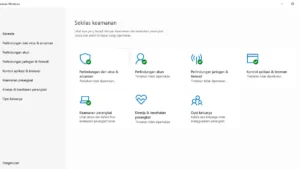
For a large share of gamers, yes. Microsoft’s built-in Defender is a kernel-mode component tightly integrated into Windows 11, and 2026 benchmark testing across a 12-game suite found it adds only about 1-3% average frame rate overhead — a number most paid suites can’t beat by much, if at all. Independent lab testing from AV-Test and AV-Comparatives regularly scores Defender’s detection rate close to paid competitors like Norton. If you stick mostly to Steam, Battle.net, the Xbox app, and other verified storefronts, and you’re not routinely downloading trainers, cracked tools, or mods from sketchy sites, Defender alone is a defensible choice and costs nothing. Where it falls short is advanced extras: it doesn’t offer a bundled VPN, dedicated ransomware rollback, gaming-specific FPS boosting, or the layered anti-phishing tools some paid suites include.
When a Paid Antivirus Suite Earns Its Keep
The calculus changes if you’re a heavy mod user, download trainers, run emulators from smaller unofficial sites, or frequently pull ROMs and third-party tools — all activities that carry meaningfully more risk than sticking to official storefronts. In that case, a paid suite’s deeper heuristic scanning, sandboxing, and web-protection layers are worth the subscription. A middle-ground approach many security reviewers recommend is running Windows Defender as your always-on real-time protection and pairing it with Malwarebytes Free (or Premium) as an on-demand scanner for anything you download from less-trusted sources.
Gaming Mode Comparison
| Antivirus | Gaming Mode Feature | Measured FPS Impact | Approx. Price |
|---|---|---|---|
| ESET HOME Security Premium | Auto-activating Gamer Mode; delays updates/tasks during full-screen apps | Near-zero (142 vs 143 FPS in Cyberpunk 2077 tests) | ~$49.99/yr (3 devices) |
| Bitdefender Total Security | Game Profile silences alerts, postpones scans/updates | Minimal, top AV-Test performance score | ~$74.99 for 2 yrs/5 devices (promo pricing) |
| Norton 360 for Gamers | Game Optimizer reallocates CPU/RAM to active title, suppresses in-game notifications | Minimal; 99.6% detection without slowdown | ~$42 first year, renews ~$94 |
| Malwarebytes Premium | Play Mode suppresses notifications/scans | Low overhead, lighter feature set overall | ~$34.99/yr (3 devices, promo) |
| Windows Defender | Automatic Game Mode integration via Windows | ~1-3% overhead | Free |
ESET: The Lightest Touch for Gaming PCs
ESET HOME Security Premium consistently ranks as the top pick specifically for gaming rigs and older hardware because of how little overhead it adds — its Gamer Mode automatically detects full-screen applications, lowers CPU usage, and defers scheduled scans and updates until you’ve closed the game. In direct benchmark comparisons it posted the smallest measurable FPS difference of any suite tested, making it 1 frame per second off from running no antivirus at all in some titles. If your priority is minimizing any possible performance cost while still getting real-time protection, ESET is the strongest pick.
Bitdefender: Best Overall Protection-to-Performance Ratio
Bitdefender Total Security consistently earns top marks from AV-Test across all three of its scoring categories — protection, performance, and usability — putting it in the same top tier as Norton and Kaspersky. Its Game Profile feature automatically silences pop-up alerts and postpones background scans and updates the moment it detects a game running in full screen, and Bitdefender’s Autopilot mode makes security decisions without interrupting you mid-session. For gamers who want one suite that’s excellent across the board rather than optimized narrowly for gaming, Bitdefender is the safest all-rounder pick.
Norton 360 for Gamers: Built Specifically for This Audience
Norton has a version of its suite explicitly branded and tuned for gamers, and it shows: the Game Optimizer feature actively reallocates system CPU and RAM priority toward whatever game is currently running, and it bundles a no-questions in-game notification suppressor so alerts about definition updates don’t interrupt a match. Norton also throws in extras that matter to some gamers, like an unlimited VPN and cloud backup, inside its higher-tier plans, making it more of a full security bundle than a narrow antivirus.
Malwarebytes: The On-Demand Complement
Malwarebytes has historically been better known as a second-opinion scanner than a full real-time suite, and that reputation is largely still deserved — its Premium tier adds real-time protection and a Play Mode that suppresses notifications during games, but its detection engine and feature set are generally considered a notch below Bitdefender, Norton, or ESET as a sole line of defense. Where it shines is as a companion to Windows Defender: run Defender for real-time protection and use Malwarebytes for periodic deep scans of anything you’ve downloaded from third-party sites.
What a Real Gaming Mode Should Actually Do
Not all “gaming modes” are equal. A gaming mode worth having should automatically detect full-screen exclusive or borderless applications, suppress all pop-up notifications (including update prompts), postpone or fully defer scheduled scans and signature updates until the game closes, and — in the better implementations — actively reprioritize CPU and memory scheduling toward the game process rather than just going quiet. ESET, Bitdefender, and Norton’s gamer-focused tiers all do the first three reliably; Norton’s Game Optimizer and Bitdefender’s Autopilot go further into active resource reallocation.
The Bottom Line
If you mostly play through official storefronts and don’t touch sketchy trainers or unofficial mod sites, Windows Defender alone is a legitimately sufficient, zero-cost choice in 2026 — its FPS overhead is now close to negligible and its detection rates hold up well in independent testing. If you want a paid suite specifically because you download mods, trainers, or emulators regularly, ESET HOME Security Premium is the best choice for pure performance-per-dollar on a gaming rig, while Bitdefender Total Security is the strongest all-around pick if you want top-tier protection scores alongside solid gaming-mode behavior. Norton 360 for Gamers is worth the premium if you want the extra bundled VPN and backup features on top of gaming-tuned performance. Whatever you choose, pair it with Malwarebytes for occasional on-demand scans of anything downloaded outside official channels — it’s cheap insurance that doesn’t run in the background eating resources during play.

[…] Defender vs Third-Party AV: Better for Gamers? Best Communication Apps for Gamers in 2026 Best Antivirus Software for Gamers in 2026 Best Software Deals for Gamers: VPNs, Antivirus and […]