
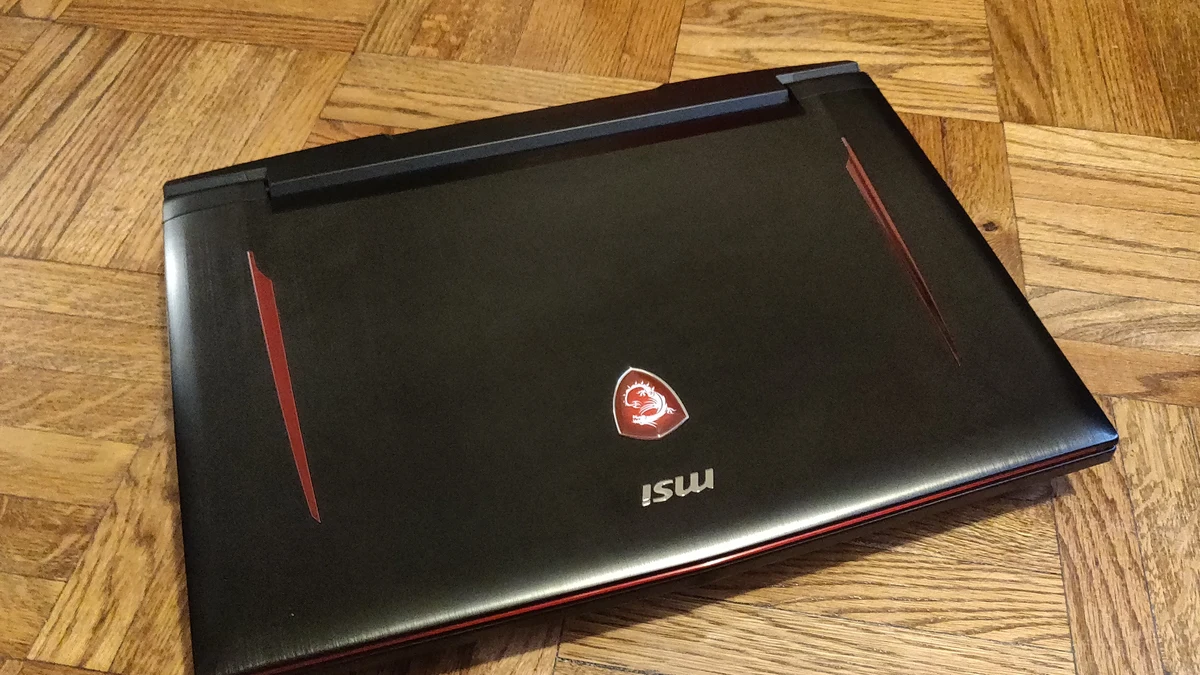
Gaming laptops rarely go on sale by accident. Retailers and manufacturers work on predictable cycles tied to the calendar, to component supply, and to when NVIDIA and AMD roll out new mobile GPU architectures. If you know those cycles, and you know which specs actually move the needle on performance, you can tell a real discount from a relabeled price tag. This guide covers both halves of that equation: when to shop, and how to verify that what you’re looking at is genuinely a deal rather than a markdown on an inflated “was” price.
The Seasonal Sale Calendar That Actually Matters
Gaming laptop pricing follows a few recurring windows every year, and they’re consistent enough to plan around.
Black Friday and Cyber Monday remain the single deepest discount window of the year. Major retailers including Best Buy, Walmart, and Amazon typically start rolling out early promotions weeks before Thanksgiving, with the steepest cuts landing on Black Friday itself and continuing through Cyber Monday. Discounts of 20 to 40 percent off recent-generation models are common during this stretch, and it’s also when retailers clear out remaining stock of the outgoing GPU generation to make room for new inventory.
Amazon Prime Day, along with competing sales events from Best Buy, Walmart, and Target that run the same week, is the second-biggest window. It typically lands in summer and is a strong opportunity for mid-range gaming laptops in particular, since Amazon uses the event to move inventory ahead of back-to-school season.
Back-to-school season, roughly July through early September, is an underrated window. Retailers compete hard for student buyers, and you’ll often see bundled discounts (a laptop plus a bag, mouse, or software) as well as straightforward price cuts. It’s worth comparing back-to-school pricing against Prime Day pricing on the same model, since one is often better than the other depending on the retailer’s specific promotional calendar that year.
Smaller but real dips also show up around Memorial Day, Labor Day, and the post-holiday clearance period in January, when retailers discount remaining stock to hit end-of-quarter sales targets. If you’re not in a hurry, checking prices at each of these checkpoints costs nothing and can save you from buying at a local peak.
Why New GPU Generations Cause the Biggest Price Drops
The single most reliable price-moving event isn’t a shopping holiday at all: it’s a new GPU generation launch. NVIDIA and AMD refresh their laptop GPU lineups on a roughly two-year cadence, typically announced at CES in January and rolling into shipping laptops over the following months. When a new generation arrives, laptops built on the outgoing GPUs don’t disappear from shelves overnight, they get discounted, sometimes heavily, to clear inventory.
This is often a better opportunity than a calendar sale event, because you’re not just getting a percentage off, you’re buying a laptop whose architecture has been thoroughly reviewed, benchmarked, and driver-optimized for a year or more. The tradeoff is that you’re accepting the previous generation’s efficiency and feature set (things like the newest frame-generation or ray-tracing improvements). For most games at 1080p or 1440p, that tradeoff is a non-issue. If you’re chasing the absolute newest AI-upscaling or ray-tracing features for cutting-edge titles, buying at generational launch makes more sense, at full price.
A practical rule: if a laptop is one GPU generation behind and discounted by 20 percent or more, it’s usually a legitimate value laptop, not a laptop nobody wants. If it’s two or more generations behind, check current game requirements carefully before treating the discount as a bargain, since driver support and ray-tracing performance fall off meaningfully after that point.
The Specs That Actually Matter for the Money
It’s easy to get distracted by clock speeds and marketing names. In practice, a short list of specs determines how a gaming laptop actually performs, and deal-hunters should prioritize them in this order.
GPU tier and wattage (TGP). The GPU model name alone doesn’t tell you performance, the same GPU model can ship at very different power limits (TGP, or total graphics power) depending on the laptop’s cooling design. A cheaper laptop with a higher-wattage version of a given GPU can outperform a pricier laptop running the same GPU at a lower power limit. When comparing two “deals” on paper-identical GPUs, check independent benchmark reviews for that specific laptop model rather than assuming the spec sheet tells the whole story.
VRAM. For 1440p gaming and modern texture-heavy titles, 8GB of VRAM is now a reasonable floor and 12GB or more gives more headroom for the next few years. A discounted laptop with a weak VRAM allocation can become a bottleneck well before the GPU core itself does.
RAM and storage. 16GB of RAM is the practical minimum for current games without background compromises; 32GB is worth paying a little more for if you multitask or stream. A fast NVMe SSD (at least 512GB, ideally 1TB) matters more than a small bump in CPU clock speed for day-to-day feel.
Display. A 1080p or 1440p panel with a high refresh rate (120Hz or above) generally delivers a better real-world gaming experience than a 4K panel paired with a mid-range GPU that can’t drive it at a playable frame rate. Match the panel resolution to what the GPU can actually push.
Cooling and battery life. These rarely show up in headline deal listings but determine whether a laptop can sustain its rated performance under load or throttles after twenty minutes. Read independent thermal reviews of the specific model before trusting a discount on an unfamiliar laptop line.
CPU. Matters less than most buyers assume for gaming specifically, since most current CPUs are not the bottleneck in GPU-heavy titles. It matters more if you also do video editing, streaming, or heavy multitasking alongside gaming.
How to Spot an Inflated “Was Price” Discount
Retailers have faced growing regulatory and consumer scrutiny over reference-price inflation, sometimes called “false reference pricing” or “perpetual sale” tactics, where a “was” price is set artificially high (or was never actually charged for a meaningful stretch of time) so that the “now” price looks like a bigger discount than it is. Independent consumer research has found that a large share of major retailers advertise items as “on sale” more often than not, which undermines the meaning of the crossed-out price entirely. The FTC and several state consumer protection laws prohibit advertising a fake original price, but enforcement is inconsistent, so the burden falls on the shopper to verify.
Here’s how to check whether a “was $X, now $Y” gaming laptop deal is real:
- Pull up the price history before you buy. Tools that track historical pricing on major retail sites will show you whether the “original” price was ever actually charged for a sustained period, or whether it’s a number invented for the sale banner. If the laptop was “$1,899, now $1,399” but the price history shows it sold for $1,450 most of the past six months, the real discount is much smaller than advertised.
- Compare the same model across at least two other retailers. If a laptop is “on sale” at one store but priced the same or lower at a competitor with no sale banner at all, the discount is cosmetic.
- Be skeptical of countdown timers and “X left in stock” messages that reset. If you revisit the page a day later and the countdown has restarted or the stock count is unchanged, it’s a manufactured urgency tactic, not a real limited-time offer.
- Watch for bundle inflation. Some “deals” bundle in a mouse, bag, or software license valued at an inflated price to make the total discount look larger. Price the laptop alone against the bundle to see if the extras are actually worth what they claim.
- Check whether the model number is exclusive to that retailer. Retailers sometimes create a slightly modified SKU (different RAM configuration, different color) specifically for a sale event, making direct price comparisons to other stores harder on purpose.
Refurbished and Open-Box Laptops: When They’re Worth It
Refurbished and open-box gaming laptops can offer real savings, but the category has wide quality variance, so it pays to know what you’re buying.
“Refurbished” should mean the unit went through diagnostic testing, had any faulty components replaced, and was cosmetically restored. “Open-box” typically means a customer returned it and it’s being resold, sometimes with minimal additional testing. These aren’t interchangeable, and a listing that’s vague about which one you’re getting is a yellow flag.
Buy from manufacturer outlet stores (Dell Outlet, Lenovo Outlet, ASUS Renewed) or certified retail refurbished programs (Best Buy, Micro Center, Newegg Refurbished) rather than unverified third-party marketplace sellers when possible. These channels typically offer a minimum one-year warranty and a real return window, both of which you should treat as non-negotiable. A refurbished laptop with a warranty under 90 days, or one sold strictly “as-is,” is a much bigger gamble.
Before buying, look for:
- A stated grading system (A/B/C or similar) with a clear description of cosmetic and functional condition.
- Battery health disclosure. A laptop with battery wear above roughly 30 to 35 percent of original capacity should either be priced accordingly or avoided if battery life matters to you.
- Confirmation of GPU and stress testing, not just a boot-up check. Gaming laptops run GPUs harder than most other laptop workloads, and a unit that boots fine can still throttle or fail under sustained gaming load.
- Return policy length. Thirty days is a reasonable minimum so you have time to actually game on it and catch problems before the window closes.
Refurbished laptops from a legitimate outlet channel with a full warranty are often a better value than a “new” budget laptop at the same price, since you’re getting higher-tier components that were simply returned or used briefly for a display unit. Unverified used listings without warranty coverage are a different risk category entirely, and the savings need to be large enough to justify that risk.
Timing Your Purchase Around Your Actual Needs
Not every purchase benefits from waiting for a sale. If you need a laptop now for school, work, or a specific release, buying at a reasonable price today beats gambling on a hypothetical better deal two months out. But if your purchase is flexible, the combination of a calendar sale window and a recent GPU generation transition is when the best real discounts converge. Watching price history over a few weeks before a known sale event, rather than buying the moment you see a discount banner, is the single most effective habit for avoiding an inflated “deal.”
Conclusion
The best gaming laptop deals aren’t random, they cluster around Black Friday and Cyber Monday, Prime Day and competing summer sales, back-to-school season, and the months following a new GPU generation launch. Within any of those windows, the discount is only real if the “before” price was genuine, so verify with price history tools and cross-retailer comparisons before trusting a sale banner. Prioritize GPU tier and wattage, VRAM, RAM, and display refresh rate over headline clock speeds, and treat cooling and battery life as real factors even though they rarely appear in a deal listing. If you’re considering refurbished or open-box, stick to manufacturer outlets or certified retail programs with a real warranty and battery health disclosure. Patience, a price-history check, and a clear sense of which specs matter will get you a genuinely good laptop for less, without falling for a discount that was never really a discount.



[…] Delayed to February 2027, Now Confirmed for PS5 Epic Games Store Free Games Best Time to Buy a Gaming Laptop: How to Spot a Deal Xbox Game Deals Guide: Sales, Game Pass, and When to […]