Walk into the keyboard aisle of any online store in 2026 and you’ll be greeted by a wall of jargon: hot-swappable sockets, Hall effect switches, tri-mode wireless, gasket-mounted plates, QMK programmability. None of it matters if it doesn’t match how you actually play and type. The good news is that keyboard technology has genuinely matured over the past few years, and wireless boards in particular have closed the performance gap with wired ones to the point where most players will never notice a difference. The real decision comes down to switch type, size, and connectivity, and understanding those three things will get you 90 percent of the way to a smart purchase.
Mechanical, Membrane, and Optical: What the Switch Actually Changes
Membrane keyboards, the kind that ship with most pre-built desktops, use a rubber dome under each key that you compress to complete a circuit. They’re cheap, quiet-ish, and fine for casual use, but they feel mushy and wear out unevenly over time, which is why almost nobody serious about gaming reaches for one anymore. Mechanical switches use an individual physical switch under every key, giving you a much more consistent feel, a satisfying tactile or clicky response depending on the switch, and a lifespan rated in tens of millions of keystrokes. Within mechanical switches you’ll see linear, tactile, and clicky variants: linear switches move straight down with no bump, which competitive players tend to favor because there’s nothing interrupting a fast, repeated key press; tactile switches give you a small bump so you can feel the actuation point without bottoming out; clicky switches add an audible click on top of that tactile bump, which some people love for typing satisfaction and others find obnoxious in a shared space. Optical and magnetic Hall effect switches have become much more mainstream this generation. Instead of a mechanical metal contact, they use a light beam or a magnetic field to detect key position, which means faster response and, in the case of Hall effect boards, adjustable actuation points where you can decide exactly how far down a key needs to travel before it registers. That adjustable actuation is genuinely useful for fast-paced shooters, since you can set frequently used movement keys to trigger earlier for snappier response.
Hot-Swappable Boards Are Worth Paying Attention To
A hot-swappable keyboard lets you pull switches out of their sockets and replace them without any soldering, which used to be a niche hobbyist feature and is now common even on mid-range and budget boards. The appeal isn’t just customization for its own sake. It means you can try a board with stock switches, decide you want something lighter, heavier, quieter, or with a different actuation point, and swap them out for a few dollars instead of buying an entirely new keyboard. It also means a single dead switch doesn’t require replacing the whole board. If you’re on the fence about switch feel, or you suspect your preferences might change once you’ve used a mechanical board for a while, hot-swap capability is a small added cost that buys a lot of flexibility down the line.
Wireless Latency Isn’t the Compromise It Used to Be
For years, wireless was the thing serious gamers avoided because of input lag and inconsistent connections. That’s largely no longer true. Modern gaming keyboards using dedicated 2.4GHz wireless dongles, rather than Bluetooth, now deliver response times that are effectively indistinguishable from a wired connection in real-world play, with some manufacturers advertising polling rates and end-to-end latency figures that rival their wired counterparts. Bluetooth is still the weaker option of the two wireless modes; it’s convenient for switching between a PC, console, and tablet, but it introduces more latency and is better suited to typing and general use than split-second competitive gaming. If you’re buying a wireless board, look for one that includes its own 2.4GHz USB receiver and treat Bluetooth as a secondary connection option rather than your primary one. Battery life has also improved significantly, with many boards now lasting anywhere from several days to several weeks per charge depending on RGB usage, so range anxiety is much less of a concern than it used to be.
Full-Size, TKL, and 60 Percent: Picking the Right Footprint
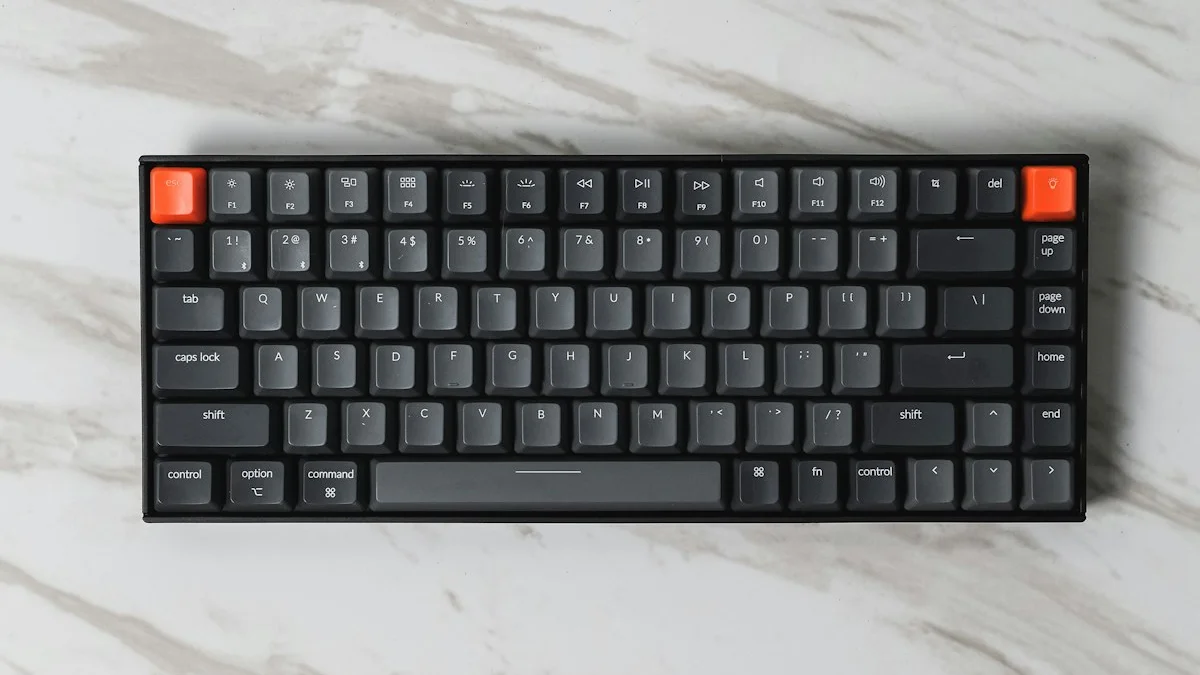
Keyboard size is as much about desk space and mouse room as it is about aesthetics. A full-size board includes the number pad, function row, and navigation cluster, which is genuinely useful if you play strategy games, do spreadsheet work, or just like having everything in one place. A tenkeyless, or TKL, board drops the number pad, shrinking the desk footprint and giving your mouse hand more room to move, which is why it’s become something of a default choice for FPS players who rely on wide, low-sensitivity mouse swings. Going smaller still, 60 percent and 65 percent boards strip out the function row and navigation cluster too, relying on key combinations to access those functions. They’re popular with players who want maximum desk real estate and don’t mind a learning curve, but they can be frustrating if you frequently use function keys for macros, streaming software, or media controls. There’s no universally correct size here, it’s genuinely a tradeoff between desk space and having dedicated keys at your fingertips.
Matching the Keyboard to the Genre You Actually Play
An FPS player benefits most from a TKL or smaller board for mouse room, low latency, and switches that support fast, repeated actuation, which tends to mean linear switches with a light spring weight, or a Hall effect board with the actuation point set low. MMO and MOBA players, on the other hand, often lean toward full-size boards or ones with side-mounted macro clusters, since these games reward having many abilities and menus mapped to easily reachable keys, and typing speed for chat matters more than in a twitch shooter. If you split your time between competitive games and general productivity or streaming, a TKL board with programmable macro layers gives you a solid middle ground without sacrificing much desk space. Casual and story-driven gamers, meanwhile, genuinely don’t need to overthink this category; a comfortable membrane or budget mechanical board with decent build quality will serve perfectly well, and the marginal gains from an enthusiast-grade board are unlikely to change your experience in a single-player adventure game.
Don’t Overlook the Basics
Once you’ve settled on switch type, size, and connectivity, a few smaller details are worth checking before you buy. Keycap material matters more than people expect: PBT plastic resists shine and wear far better than the cheaper ABS plastic that ships on many budget boards, so it keeps looking and feeling new for years longer. N-key rollover, which ensures every key you press registers even when several are held down simultaneously, is essential for gaming and thankfully standard on nearly all boards marketed for it. Finally, think about software. Boards that support open, community-driven firmware like QMK or VIA tend to offer more flexible remapping and macro options than boards locked to a single manufacturer’s app, which is a meaningful convenience if you like to fine-tune your setup over time rather than accept the factory defaults.