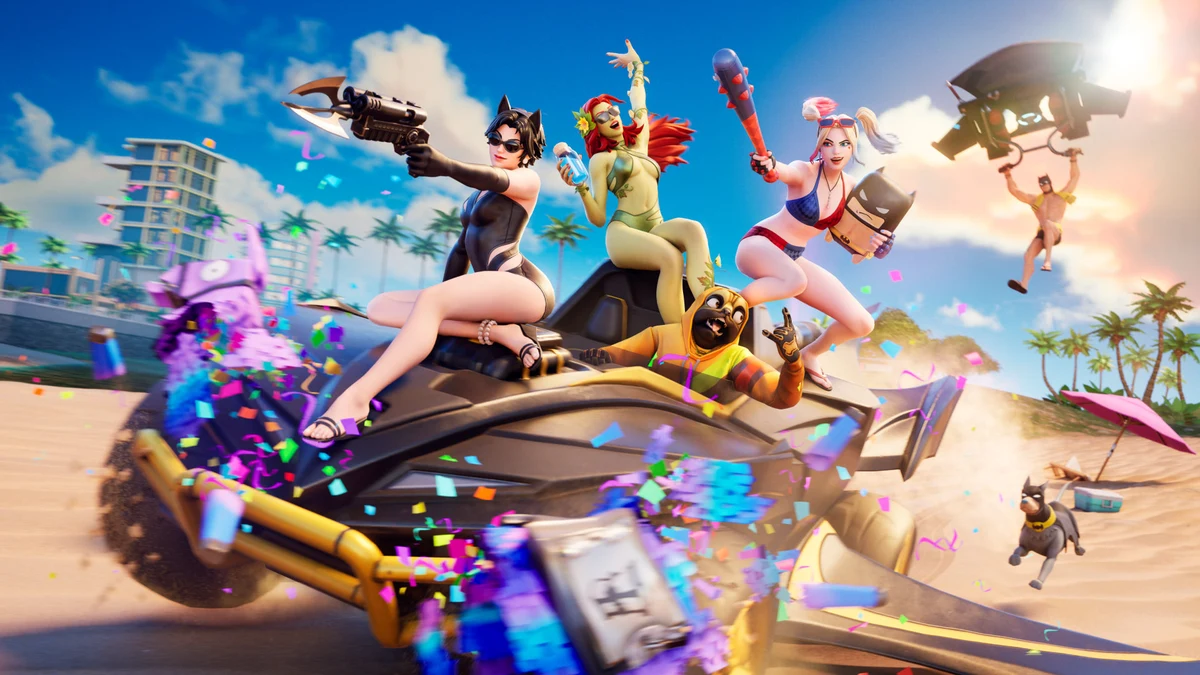
Fortnite in August 2026 is a very different game from the one your older sibling remembers. Chapter 7 Season 3, subtitled Runners, reshaped the island around a new landmass called Shattered Coast, introduced a permanent collectible system called Sprites, and leaned hard into movement with items like the Seven Sliders gloves. If you’re dropping in for the first time, don’t panic — the core loop is still simple: land, loot, survive the storm, outlast everyone else. This guide walks through exactly what a brand-new player needs to know before their first real match. If you want the fully expanded version of everything covered here, our complete Fortnite guide is the best starting point for the whole ecosystem — modes, events, and long-term progression included.
Choose Your Mode Before You Choose a Landing Spot
The single biggest decision a new player makes isn’t where to land — it’s which mode to load into. Fortnite’s battle royale splits into two very different experiences, and picking the wrong one for your skill level is the fastest way to get frustrated in your first few hours.
| Mode | Best For | Learning Curve | Combat Style |
|---|---|---|---|
| Battle Royale (Build) | Players who want the “classic,” skill-ceiling Fortnite experience | Steep — editing and building under pressure takes real reps | Structures for cover, high-ground fights, edit plays |
| Zero Build | Brand-new players and fans of standard shooters | Gentle — plays like a normal battle royale | Positioning, cover usage, aim and movement |
| Limited-time and quick modes (Reload-style) | Shorter sessions, tighter lobbies, faster action | Gentle to moderate | Fast rotations, smaller circles, less downtime |
If you’ve never played a building-based shooter before, start in Zero Build. It strips away the construction mechanic entirely, so every fight comes down to aim, positioning, and decision-making — the same fundamentals that transfer to almost every other shooter you’ll ever play. Plenty of skilled players stick with Zero Build permanently rather than treating it as training wheels; it’s a legitimate, fully supported mode with its own competitive scene, not a lesser version of the game.
If you do want to eventually learn building, Zero Build is still a smart place to build up game sense first. Once you’re comfortable rotating, reading fights, and managing your inventory, moving into Build mode becomes a lot less overwhelming because you’re only adding one new skill instead of five.
How Looting Actually Works
Loot in Fortnite follows a rarity system indicated by color: gray (common), green (uncommon), blue (rare), purple (epic), and gold or orange (legendary/exotic). Higher rarity generally means better stats — more damage, better accuracy, or faster reload — so a purple assault rifle will usually outperform a gray one of the same type.
You’ll find loot in a few main places:
- Floor loot — items lying in the open inside buildings and POIs.
- Chests — wooden containers that make a distinct chime and glow when nearby; almost always worth prioritizing.
- Vending and reward machines — scattered around named locations, letting you trade materials or currency for specific gear.
- Eliminated players — every opponent you knock out drops their entire loadout.
New players should prioritize picking up a weapon (ideally two different types, like an assault rifle and a shotgun), at least one healing item, and a shield potion or two before worrying about anything else. Don’t loot a full building if a fight has already started nearby — grabbing what’s close and repositioning beats getting caught mid-inventory-management.
The Sprite System Changes the Early Game
Chapter 7 Season 3 introduced Sprites, a permanent collectible system layered on top of standard looting. You’ll find Sprites scattered across the map, and once you extract one at an Extraction Site, you keep it across future matches — it’s account progression, not a single-match pickup. For beginners, the Earth Sprite is worth prioritizing early since it passively upgrades the rarity of chest loot you find, which softens the gap between a rough landing and a well-looted one. One important timing note: Extraction Sites only activate after the first storm circle closes, so don’t waste early minutes rushing one before it’s live.
Understanding the Storm (It’s Not Just a Countdown)
New players tend to treat the storm as background noise until it’s almost on top of them, which is a mistake. The storm is a shrinking circle that forces the entire lobby into smaller and smaller areas over the course of a match, and it deals increasing damage the longer the game goes — early storm ticks are a minor inconvenience, late-game ticks can delete your health bar in seconds.
A few habits that separate new players from experienced ones:
- Check the map after every fight to see where the next circle is likely to land.
- Start rotating toward safety well before the storm reaches you — don’t wait until you’re standing in it.
- Treat the storm’s edge as a natural funnel; fights often cluster near the safe zone border, so approach cautiously.
- Keep at least one mobility option (a vehicle, movement item, or open sightline) in reserve for late-game rotations when circles get small and dangerous.
Basic Strategy Tips for Your First Real Wins
You don’t need mechanical skill to start winning fights — most early deaths come from bad decisions, not bad aim. Keep these in mind:
- Avoid landing directly under the Battle Bus’s flight path. Contested landings near the bus route mean more early fights than you probably want as a beginner.
- Always know your shield and health totals. Don’t push a fight at 40 health with no shield just because you have a good angle.
- Don’t fight every third party. If two other squads are already fighting, it’s often smarter to loot the aftermath than to jump into a three-way fight.
- Use sound. Footsteps, gunfire, and chest chimes all tell you where people are — playing with headphones is a genuine competitive advantage.
- Practice building or editing basics in Creative modes before taking them into a ranked lobby, so you’re not learning mechanics and strategy at the same time.
Weapons Worth Learning Early
The current meta favors a couple of standout assault rifles. The Deadeye AR is a strong pick for Zero Build players specifically because its red dot sight makes tracking moving targets noticeably easier when you don’t have walls to lean on. If you’re in Build mode, the Enforcer AR’s near-nonexistent bloom makes it more forgiving during close-quarters box fights. A safe general-purpose loadout for a new player is one assault rifle plus one shotgun, backed by a couple of healing items and whatever utility grenades you come across.
Once you’ve got the basics of landing, looting, and rotating down, your gear and settings start to matter more. Our guide to the best Fortnite settings for controller and PC players covers sensitivity, keybinds, and video settings once you’re ready to fine-tune your setup, and our breakdown of the best Fortnite landing spots right now can help you pick drops that match your comfort level, from quiet edges of the map to loot-dense hot zones.
Frequently Asked Questions
Q: Should I play Build or Zero Build as a beginner? Start with Zero Build if you’ve never played a construction-based shooter before. It lets you focus purely on aim, positioning, and game sense without the added complexity of building and editing under pressure.
Q: What’s the fastest way to improve as a new player? Play a high volume of matches focused on survival over eliminations at first. Landing safely, looting efficiently, and rotating with the storm will win you more games early on than chasing kills.
Q: Do I need to buy skins or the Battle Pass to be competitive? No. Cosmetic items, including the Battle Pass, have zero effect on gameplay stats. They’re purely visual — every weapon and item performs identically regardless of what your character is wearing.
Q: Can I play with friends who are on a different platform than me? Yes. Fortnite supports crossplay across PC, PlayStation, Xbox, Switch, and mobile. Our Fortnite crossplay guide walks through how to link accounts and squad up across platforms without issues.
Q: What controller or keyboard settings should a beginner use? Stick close to default settings for your first few sessions so you can build muscle memory, then start adjusting sensitivity and keybinds gradually. Our controller and PC settings guide breaks down sensible starting points for both.
The Bottom Line
Every Fortnite veteran was a confused new player standing on the Battle Bus at some point — the mechanics click faster than most people expect once you understand the why behind building, looting, and storm rotations. Start in the mode that matches your comfort level, focus on survival before kills, and let your game sense grow match by match. When you’re ready to go deeper on strategy, weapons, and events across the whole game, our complete Fortnite guide is the next stop.