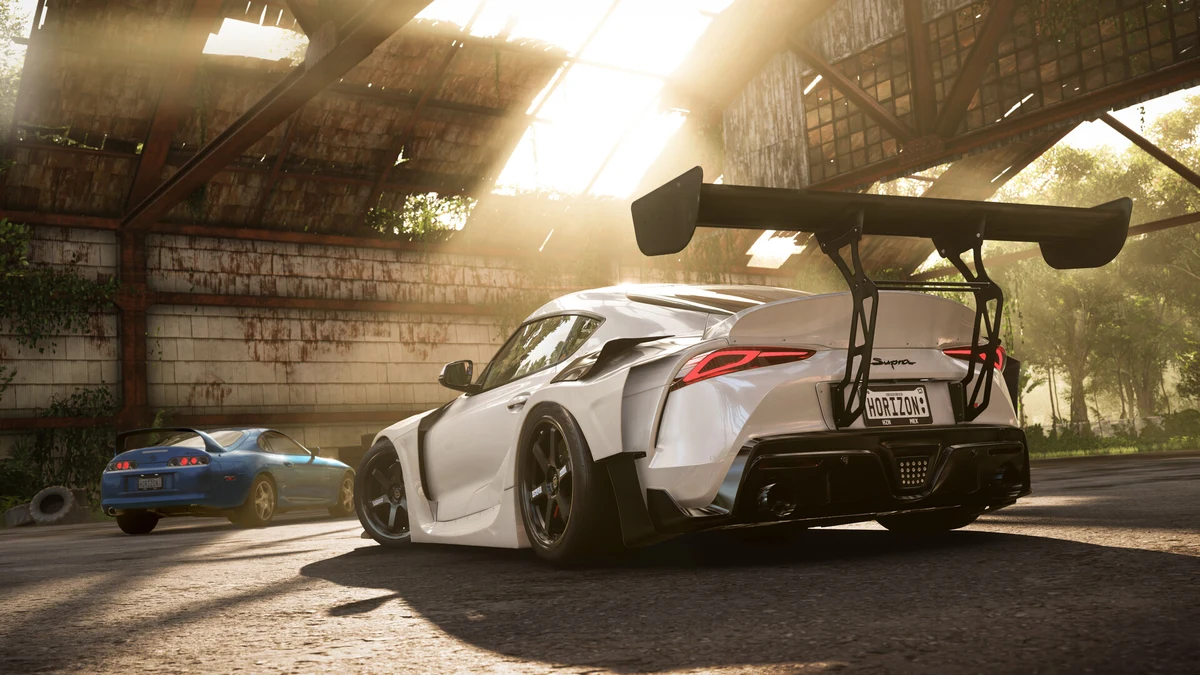
Tuning and upgrading cars is one of the most rewarding but confusing systems for new players in Forza Horizon 5. The Upgrade Shop lets you swap out parts to raise a car’s Performance Index, while the Tune Setup screen lets you fine-tune how those parts behave on the road, in the dirt, or on a drag strip. Getting the two systems working together is what separates a car that merely looks fast from one that actually handles the way you want. This guide breaks down upgrades and tuning step by step so you can start building cars with intention instead of guessing.
Understanding Upgrades vs Tuning
Upgrades and tuning solve different problems, and mixing them up is the most common beginner mistake. Upgrades are physical part swaps, a new turbo, a stiffer sway bar, a wider rear tire, that permanently change what a car is capable of and raise its Performance Index. Tuning, by contrast, adjusts the settings within the parts you already have installed, such as how stiff the suspension springs are or what pressure the tires are set to. Upgrading has a much bigger impact on lap times than tuning does, since installing and replacing parts changes the car’s fundamental capabilities, while tuning refines and polishes what is already there. The practical takeaway is to always upgrade a car to the class and Performance Index you want before spending time dialing in a tune, because a tune built around a half-finished build will need to be redone anyway.
The Upgrade Categories Explained
When you open the Upgrade Shop for a car, you will see several categories to work through: Conversion, Aero and Appearance, Tires and Rims, Engine, Platform and Handling, and Drivetrain. Conversion upgrades are the biggest swings, covering engine swaps, aspiration changes such as adding a turbo or supercharger, and drivetrain conversions like turning a rear-wheel-drive car into all-wheel drive. Aero upgrades add or improve front splitters, rear wings, and other aerodynamic bodywork. Tires and Rims lets you change wheel size and, importantly, tire compound. Engine upgrades cover the internals, camshafts, pistons, exhaust, and intake, that add horsepower. Platform and Handling covers the suspension, brakes, chassis reinforcement, and anti-roll bars that determine how the car turns and stops. Drivetrain upgrades improve the clutch, driveline, and differential. Work through these categories with a clear goal in mind, whether that is a specific PI class or a specific racing discipline, rather than buying every available part.
Why Some Tuning Options Start Locked
A common point of confusion for new players is opening the Tune Setup screen and finding several options greyed out with a lock icon. This happens because tuning is tied directly to the upgrades you have installed. For example, you cannot adjust downforce and aerodynamics until you have installed an adjustable front splitter and an adjustable rear wing on the car. The same logic applies elsewhere in the tuning menu, so if a section looks unavailable, check back in the Upgrade Shop to see which part unlocks it. This is another reason to treat upgrading as the first step and tuning as the second.
Tire Compounds and When to Use Them
Tire choice has an outsized effect on grip, and Forza Horizon 5 offers several road-focused compounds. Street tires work well for cars in D-Class through C-Class, offering a balance of grip and durability for everyday driving. Sport tires are the go-to choice once a car reaches B-Class, giving noticeably more grip without sacrificing too much stability. Semi-slick race tires become the better option for upper A-Class builds and above, while slick race tires deliver the most grip on smooth roads in ideal conditions or when chasing outright speed records, though semi-slicks tend to be more forgiving across varied surfaces. Beyond these, dedicated Drag, Drift, Offroad, and Rally compounds exist for their respective disciplines, and using the wrong compound for the wrong terrain will hurt your times far more than any other tuning mistake.
Tuning Your Gearing for Maximum Speed
Gearing is arguably the single most impactful tuning setting in the entire game. Wrong gear ratios can make even a well-upgraded car feel sluggish off the line or run out of pull before the finish line, while correctly tuned gearing can shave real time off a lap. As a starting point, adjust the final drive to set your top speed for the event you are racing, whether that is a short sprint or a long highway stretch, then space the individual gears so the engine stays near its power band through each shift. Cars with a wide torque curve are more forgiving of imperfect gearing, while high-revving engines reward more careful spacing.
Suspension, Anti-Roll Bars, and Aerodynamics
Beyond gearing, tire pressure, anti-roll bars, and aerodynamic downforce are the next tuning areas worth learning. Tire pressure affects how much of the tire’s contact patch is in use, with lower pressure generally adding grip at the cost of some precision. Anti-roll bars control how much the car leans in corners and how weight transfers between the inside and outside wheels, which directly affects how predictable a car feels mid-corner. Downforce, once unlocked through aero upgrades, adds stability at high speed and through fast corners, though too much can slow a car down on long straights. One quirk worth knowing before you touch the brake settings is that brake balance is reversed in Forza Horizon 5 due to a long-standing bug, so moving the slider to the right actually shifts bias toward the front rather than the rear as you might expect.
Beginner Upgrade Priorities by Build Goal
If you are not sure where to start, it helps to think in terms of your build goal rather than buying upgrades at random. For street racing and general Horizon exploration, prioritize engine and tire upgrades to raise your Performance Index into a comfortable class without overspending. For circuit racing, invest early in Platform and Handling parts, since braking and cornering stability matter more than outright horsepower once you are consistently racing against the AI or other players. For drift builds, weight reduction, anti-roll bars, and chassis reinforcement improve how responsive and controllable the car feels when sideways, which matters more than raw power at first. Whatever your goal, save your credits for one full category at a time rather than spreading them thin across a car that is not yet competitive in its class.
It is also worth deciding early whether you want to keep a car close to stock for a specific Performance Index class or push it toward the top of the next class up. Cars sitting right at the ceiling of a class, rather than well below it, generally perform best in class-restricted events, so check the Performance Index number in the corner of the Upgrade Shop screen as you add parts and stop once you are close to your target rather than continuing to buy upgrades out of habit.
Testing and Saving Your Tunes
A tune is only useful if you actually verify it works before relying on it in a race. After adjusting gearing, suspension, or aero settings, take the car out in Free Roam or a low-stakes event first rather than testing changes for the first time in a Championship you care about. Small adjustments, one setting at a time, make it far easier to tell which change actually improved the car, since altering several settings at once can mask which one helped and which one hurt. Once you land on a setup you are happy with, save it as a named tune so you can return to it later or apply it to another car of the same type, and revisit older tunes periodically since new upgrade parts released in later updates can open up settings that were not available when you first built the car.
For a broader overview of everything else the game offers, check out our complete Forza Horizon 5 guide, which covers the wider progression and world systems that tie into your car builds.