Table of Contents
- What Is Minecraft
- Java Edition vs Bedrock Edition Explained
- Platforms and How to Buy It
- Core Gameplay Loop
- What’s New in the Latest Update
- Game Modes Explained
- Multiplayer, Realms, and Servers
- Mods and Marketplace Content
- Minecraft for Beginners: Where to Start
- Best Seeds Right Now
- Minecraft’s Cultural Impact and Community
- Hardware and Setup Tips
- Who Minecraft Is Best For
- Frequently Asked Questions
- Conclusion
- External Authority Sources
Fifteen years after its official 1.0 release, Minecraft is still one of the most-played video games on the planet, and in 2026 it’s arguably in better shape than it’s ever been. Mojang Studios has abandoned the old “one giant update per year” model in favor of frequent, smaller game drops, the block-building sandbox just came off a $950-million-plus movie adaptation, and a sequel is already in production. Meanwhile the core game — mining, building, surviving the night — hasn’t lost an ounce of what made it a phenomenon in the first place.
This guide exists because most “Minecraft guides” online are either stale, generic, or written for a version of the game that stopped existing years ago. What follows is a complete, current picture of Minecraft as it stands in August 2026: which edition to buy, what changed in the newest drops, how multiplayer and Realms actually work, where mods fit in, and how to get good fast whether you’re four days or four years into the game. Consider it the only bookmark you need.
What Is Minecraft
Minecraft is a sandbox survival game built almost entirely out of one-meter cubes. You wake up in a procedurally generated world with nothing, and the entire arc of the game is up to you: punch trees for wood, mine stone and ore, build shelter before nightfall, and decide whether you want to farm, fight, explore, or construct something absurd. There’s no fixed story and no forced objective — the “goal,” if there is one, is usually whatever you decide it is that session.
The Premise, Distilled
Every world is generated from a seed — a number (or word) that determines terrain, biomes, structures, and resource placement. You can punch that seed into the game and get the exact same world someone else is playing, which is part of why seed-sharing has become its own subculture (more on that later). From there, the loop is simple to learn and nearly impossible to fully master: gather resources, craft tools, build a base, explore caves and biomes, fight off hostile mobs, and eventually take on end-game content like the Nether and the End dimension.
Why It’s Endured
Most games that came out in 2011 are historical footnotes now. Minecraft is a bigger cultural force today than it was a decade ago, and that’s not an accident. A few reasons keep it relevant:
- It’s a toolset, not just a game. Building mechanics are flexible enough that players use Minecraft for architecture practice, redstone engineering, art, education, and full-blown machinima.
- Mojang keeps shipping. The shift to smaller, more frequent “game drops” (explained further down) means the game gets meaningfully updated multiple times a year instead of once.
- It scales with the player. A seven-year-old can build a dirt hut. An engineer can build a working 16-bit CPU out of redstone. Same game, wildly different ceiling.
- It’s genuinely cross-generational. Kids who grew up on Minecraft in 2012 are now adults introducing their own kids to it, and content creators keep it visible on YouTube, Twitch, and TikTok year-round.
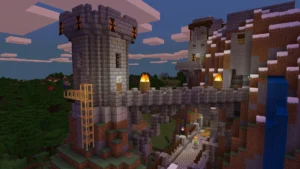
[Image suggestion: A sprawling Minecraft survival world showing a large player-built base at sunset — alt text: “Minecraft survival world with a large player-built base at sunset”]
Java Edition vs Bedrock Edition Explained
This is the single most common point of confusion for new players, so it’s worth being precise about it.
Minecraft exists in two parallel versions that share the same core gameplay but run on completely different code. Java Edition is written in Java and was the original PC version of the game. Bedrock Edition is written in C++ and covers console, mobile, and the Windows Store version of the game. They look and play almost identically now — the same biomes, mobs, and update cadence — but the underlying engines don’t talk to each other directly.
Key Differences That Actually Matter
Java is the edition serious modders, redstone engineers, and PC purists tend to prefer, largely because of its enormous, mature modding ecosystem. Bedrock is the edition almost everyone on console, mobile, or Switch is playing, and it’s the only one that supports full crossplay across every platform. Since 2022, buying Minecraft for Windows gets you both editions bundled into a single purchase and a single launcher, so PC players don’t actually have to choose — they get access to both.
| Feature | Java Edition | Bedrock Edition |
|---|---|---|
| Platforms | Windows, macOS, Linux | Windows, Xbox, PlayStation, Switch, iOS, Android |
| Crossplay | Java-only (PC-to-PC) | Full crossplay across all Bedrock platforms |
| Modding | Deep mod support (Fabric, Forge, Modrinth) | Sandboxed Add-Ons and behavior packs only |
| Marketplace | Not available | Full Marketplace access (skins, worlds, add-ons) |
| Performance | Heavier on CPU/RAM | Generally lighter, better on low-end hardware |
| Price (PC) | Included in the $29.99 bundle | Included in the $29.99 bundle |
| Command/Redstone depth | Slightly deeper command syntax, classic redstone timing | Slightly different redstone tick timing, simplified commands |
| Best for | PC players who want mods and community servers | Players who want to play with friends across devices |
Which One Should You Actually Pick?
If you’re on PC and want the deepest customization — meaning full support for the best Minecraft mods, custom shaders, and community-built modpacks — Java is the better long-term home. If your friend group is scattered across an Xbox, an iPad, and a Switch, Bedrock is the only version that lets everyone play together in one world. Because the PC bundle includes both, plenty of players just install Java for solo building and mod use, then jump into Bedrock worlds when they want to play cross-platform with console or mobile friends.
Platforms and How to Buy It
Minecraft is about as platform-agnostic as a major game gets. As of 2026 you can play it on:
- PC: Windows, macOS, and Linux (Java Edition), plus Windows via the Microsoft Store (Bedrock Edition)
- Consoles: Xbox Series X|S, Xbox One, PlayStation 5, PlayStation 4, Nintendo Switch and Switch 2
- Mobile: iOS and Android (Bedrock Edition, touchscreen-optimized controls)
- Other: Amazon Fire tablets, and Bedrock builds available through certain smart TVs and handheld storefronts
How Much It Costs
The standard PC bundle — Java & Bedrock Edition together — sits at $29.99, a one-time purchase with no subscription required to play solo or host your own server. Console and mobile versions of Bedrock Edition are typically priced in a similar range through their respective storefronts (Xbox, PlayStation Store, Nintendo eShop, App Store, Google Play), occasionally with regional pricing differences. There’s also a free trial available directly through minecraft.net if you want to test the game before buying.
Optional costs on top of the base purchase include:
- Minecoins — an in-game currency used to buy Marketplace content like skins, texture packs, and worlds (Bedrock only)
- Realms subscriptions — monthly hosting for private multiplayer worlds (covered in detail below)
- Marketplace Pass — a subscription that unlocks a rotating library of Marketplace content for one flat monthly fee instead of buying items individually
There is no Minecraft “free-to-play” version for the core game, though Minecraft Education has its own licensing model built around schools and classrooms, and a browser-based Classic version exists purely as a nostalgia throwback with none of the modern features.
Regional pricing also varies more than players expect. Storefronts adjust the base price for local currencies and purchasing power, so the console or mobile price you see may differ from the flat $29.99 PC figure even after conversion. It’s worth checking your platform’s actual store listing before assuming a single global price applies everywhere, especially if you’re buying gift codes or redeeming through a regional account.
Core Gameplay Loop
Regardless of which edition or platform you’re on, the moment-to-moment loop is what actually keeps people playing for hundreds of hours. It breaks down into four overlapping pillars.
Survival
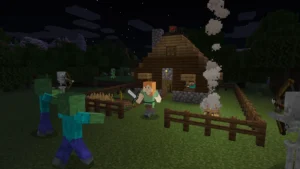
You start with nothing and a health bar, a hunger bar, and — depending on difficulty — hostile mobs that spawn once the sun goes down. The early game is a resource scramble: chop wood, mine stone, craft basic tools, and get a roof over your head before dark. Hunger has to be managed through farming, hunting, or fishing, and death in Survival mode means dropping your inventory where you fell (unless you’ve changed the keep-inventory setting on a private world).
Building
This is Minecraft’s signature strength. Every block in the game — from plain dirt to intricately textured copper and the newer stone variants — can be placed anywhere, meaning builds range from a first-night dirt shack to sprawling, screenshot-worthy cities. There’s no building limit beyond world height, and creative tools like scaffolding, symmetry via mirrored builds, and a huge palette of decorative blocks (stairs, slabs, trapdoors, banners) make detailed construction genuinely accessible to beginners.
Exploration
Worlds are functionally infinite, generated in chunks as you move outward from spawn. Biomes range from deserts and jungles to snowy peaks, mushroom islands, and deep dark caves, each with unique resources, structures, and mobs. Beyond the Overworld, two additional dimensions — the fiery, resource-rich Nether and the End, home to the Ender Dragon — give exploration a clear sense of escalation and end-game payoff.
Combat
Combat spans everything from swatting a zombie with a wooden sword to min-maxed PvP duels using enchanted netherite gear, shields, and tridents. Difficulty settings scale mob aggression and damage, and higher-tier gear (diamond and netherite) unlocks enchantments that meaningfully change how fights play out. Structures like ocean monuments, woodland mansions, trial chambers, and ancient cities layer in dedicated combat encounters with unique loot for players who want more than passive survival.
If redstone-powered contraptions or automated farms interest you more than combat, that’s effectively a fifth pillar of its own — Minecraft’s logic-gate redstone system is deep enough that players build working calculators and CPUs with it. If you’re just getting into it, this beginner-friendly redstone guide is the fastest way to stop being intimidated by it.
What makes the loop hold up over years rather than weeks is how these four pillars reinforce each other instead of sitting in isolation. Better combat gear requires mining deeper, which means better tools, which means more efficient building for a base that can withstand raids, which means more exploration to find rare resources. None of it is gated behind a level-up screen or a skill tree — progression is entirely a function of what you’ve physically gathered and built, which is part of why long-term Minecraft worlds tend to feel personal in a way that’s hard to replicate in more systemized games.
What’s New in the Latest Update
Mojang formally moved away from single annual mega-updates in favor of smaller, more frequent game drops, and in December 2025 the studio changed its version numbering to match — version numbers now start with the two-digit year, so anything released in 2026 begins with “26,” making it far easier to tell how current a build actually is.
Chaos Cubed (June 2026)
The most recent full drop, Chaos Cubed, landed in June 2026 and introduced an entirely new underground biome: sulfur caves. These caverns are built around yellow sulfur blocks and red cinnabar deposits, with sulfur pools that vent a noxious gas capable of inflicting Nausea on anyone who lingers too close. It’s the kind of addition that changes how players approach deep cave exploration, adding an environmental hazard layer that didn’t exist before.
Drop 3 (In Testing)
At the time of writing, the next drop is in active preview testing. Confirmed additions include cushions in 16 dye colors that let players sit on flat surfaces for the first time, straw beds that let you skip the night without setting a spawn point (and which break after a single use), and a visual overhaul of abandoned camps, complete with new loot tables. Concrete stairs and slabs are also being added across the same 16-color palette, closing a long-standing gap for builders who wanted concrete to behave like other block families.
What’s Coming Next
Mojang previewed a new Dappled Forest biome during the Minecraft Live segment at TwitchCon in May 2026. It’s built around several new structures and introduces poplar wood, a new tree type with a pale, grayish tone designed to pair well with stone and pale oak builds. Expect it as part of a drop later in the year.
Performance Work
Alongside content, Mojang has continued quietly optimizing the engine itself — improving chunk loading, reducing stutter in heavily modded Java instances, and pushing better frame rates on mid-range hardware. Console players have also seen resolution and frame-rate improvements on current-generation hardware as part of ongoing Bedrock optimization passes.
Game Modes Explained
Minecraft ships with five distinct ways to play, and picking the right one changes the entire experience.
- Survival — The default experience: manage health and hunger, gather resources, and face threats. This is where the “real” game lives for most players.
- Creative — Unlimited resources, flight, and no health loss from fall damage or most hazards. Built for people who want to focus purely on construction and design without survival mechanics getting in the way.
- Hardcore — Survival rules with permadeath. One life, and when it’s gone, the world locks you out permanently (in solo play) or spectates you out of the action. It’s the mode most speedrunners and high-stakes streamers gravitate toward.
- Adventure — Designed for custom maps and community-built experiences. Players can’t break or place most blocks unless the map explicitly allows it, which protects the map creator’s design.
- Spectator — A no-clip, invisible camera mode used for exploring worlds, filming cinematic footage, or watching other players without interacting with the world at all.
Most new players should start in Survival on Normal or Easy difficulty. It’s the mode the game is actually balanced around, and switching to Creative too early tends to skip past the parts of Minecraft that make it compelling in the first place.
Multiplayer, Realms, and Servers
Minecraft’s multiplayer scene is enormous, and there are three broad ways to play with other people.
Realms
Realms is Mojang’s official, first-party hosting service. You pay a monthly subscription, and Mojang hosts a private, always-on world in the cloud for you and your invited friends — no port forwarding, no server files, no technical setup. Pricing on minecraft.net/realms is tiered by player count, and Realms saves your world automatically so it’s accessible from any supported device. It’s the easiest on-ramp to persistent multiplayer for players who don’t want to deal with server administration.
Community and Public Servers
Beyond Realms, there’s a massive ecosystem of community-run servers — some free, some subscription-based — hosting everything from vanilla survival to elaborate minigame networks, economy servers, and roleplay worlds. Java servers can run custom plugins (via software like Paper or Spigot) that add entirely new mechanics without needing client-side mods, which is a big part of why Java’s server scene is so much more varied than Bedrock’s.
Crossplay
Bedrock Edition supports full crossplay: a player on iOS, a player on PS5, and a player on Xbox can all join the same world as long as everyone’s signed in with a linked Microsoft account and playing compatible versions. Java Edition does not officially crossplay with Bedrock — the two run on separate codebases, and while third-party workarounds exist, they aren’t officially supported. If your group spans multiple platforms, Bedrock (and by extension, Realms on Bedrock) is the path of least resistance.
[Image suggestion: Four different devices — PC, Xbox controller, PlayStation controller, and a phone — all connected to the same Minecraft Realm — alt text: “Minecraft crossplay across PC, Xbox, PlayStation, and mobile in a shared Realm”]
Mods and Marketplace Content
Java and Bedrock take very different approaches to custom content, and it’s worth understanding both before deciding where to invest your time.
Java Mods
Java Edition’s modding scene is one of the largest in gaming, with platforms like Modrinth and CurseForge hosting tens of thousands of mods ranging from small quality-of-life tweaks to complete overhaul modpacks that add new dimensions, tech trees, and progression systems. Mod loaders like Fabric and Forge make installation straightforward once you know the process, and shader packs (Complementary, BSL, and others) can transform the game’s visuals dramatically without touching gameplay at all. If you’re ready to go beyond vanilla, this current list of the best Minecraft mods is the fastest way to find ones worth your time instead of digging through outdated mod pages.
Bedrock Marketplace
Bedrock takes a more curated, sandboxed approach through the official Marketplace, where creators sell skins, texture packs, add-ons, and full custom worlds directly inside the game, paid for with Minecoins. It’s simpler and safer for younger or less technical players, but structurally can’t match the depth of a full Java mod — Marketplace add-ons run inside Mojang’s approved scripting API rather than modifying the game engine directly.
Which Route to Take
If you want total creative control and don’t mind a bit of setup, Java mods win outright. If you want a plug-and-play experience with vetted, curated content and don’t want to touch mod loaders or file management, Marketplace content on Bedrock is the safer, simpler choice — especially for kids’ accounts or shared family devices.
Minecraft for Beginners: Where to Start
If you’re picking up Minecraft for the first time in 2026, the amount of accumulated content can feel overwhelming — over a decade of updates means even veteran players sometimes forget mechanics that got added along the way. The fastest path to actually enjoying the game rather than bouncing off it is to keep your first world simple: default world generation, Normal difficulty, Survival mode, and no mods.
Focus your first few in-game days on the basics — a safe shelter, a food source, and basic tools — before worrying about anything advanced. Once the fundamentals click, branching into building, redstone, or PvP becomes a lot less intimidating. For a structured walkthrough that doesn’t assume prior knowledge, this Minecraft beginner’s guide covers the first-week priorities in order, from your first shelter to your first Nether trip.
Best Seeds Right Now
Seeds are one of the most enduring pieces of Minecraft culture — a single string of numbers or text that generates an identical world for anyone who enters it. Great seeds get shared, screenshotted, and speedrun for years after they’re discovered, especially ones that spawn players near multiple villages, unique terrain generation, or rare structure clusters.
With terrain generation periodically affected by new biomes and updated world-gen logic, seeds worth chasing tend to shift with each major drop. Rather than duplicate a constantly-changing list here, the current, verified batch of best Minecraft seeds for 2026 is kept updated as new drops alter world generation, including options tuned for speedrunning, aesthetic builds, and mega-base starting locations.
Minecraft’s Cultural Impact and Community
Minecraft’s footprint extends well beyond the game client itself at this point.
Sales and Reach
Minecraft is Guinness World Records’ certified best-selling video game of all time, with sales north of 350 million copies. Monthly active users in 2026 sit around 212 million, with a notable spike above 220 million in mid-2025 tied directly to the theatrical release of A Minecraft Movie.
A Minecraft Movie and Its Sequel
A Minecraft Movie became one of 2025’s biggest theatrical releases, pulling in roughly $950 million globally and becoming one of the highest-grossing video game film adaptations ever made. That success fast-tracked a sequel — now titled A Minecraft Movie Squared — with director Jared Hess returning and Kirsten Dunst joining the cast. It’s currently scheduled for a July 2027 release, meaning the franchise’s cultural momentum is set to keep building well past 2026.
Esports and Competitive Play
The Minecraft Championship (MCC), organized by Noxcrew, remains the flagship competitive event in the space, pitting teams of popular creators against each other across a rotating set of minigames, culminating in a Dodgebolt elimination round. MCC ran multiple events throughout 2026 — including Double Date, Spell Bound, and Pride — each drawing large concurrent viewership across Twitch and YouTube, reinforcing that Minecraft’s competitive scene is driven by creator-led events rather than traditional franchised esports leagues.
Education and Beyond Gaming
Minecraft Education continues expanding as a classroom tool, with content like Planet Earth III bringing STEM-focused biome exploration into schools, and modules like Good Game teaching digital citizenship and online safety to younger students. Combined with in-person “Minecraft Experiences” and an enormous creator economy on YouTube and TikTok, Minecraft functions less like a single game at this point and more like an ongoing cultural platform.
Hardware and Setup Tips
Minecraft is famously light on hardware requirements compared to most modern games, which is part of why it runs on everything from budget laptops to Chromebooks. That said, a few setup choices meaningfully change how the game feels, especially once mods, shaders, or large multiplayer servers enter the picture.
When Your Hardware Actually Matters
Vanilla Minecraft on default settings runs on nearly anything released in the last decade. Where hardware starts to matter is heavily modded Java instances, high-resolution texture packs, shader-heavy visual overhauls, or large multiplayer servers with lots of loaded chunks and entities — all of which lean much harder on CPU and RAM than the base game does. If you’re building or upgrading a machine specifically with modded Minecraft, streaming, or a broader PC gaming habit in mind, it’s worth thinking about whether a pre-built system or a custom build makes more sense for your budget and needs — this comparison of prebuilt vs. custom-built gaming PCs breaks down the tradeoffs in plain terms.
Peripherals Worth Considering
Minecraft isn’t a twitch-reflex shooter, so you don’t need top-tier gaming peripherals to play it well — but if you’re spending serious hours on PvP servers, redstone precision builds, or long creative sessions, input comfort and accuracy start to matter more than people expect. A mouse that tracks precisely for block placement and combat, without feeling overbuilt for a game that doesn’t need 20,000 DPI, is the more sensible upgrade than chasing spec sheets. If you’re not sure what actually matters for your playstyle, this guide to choosing a gaming mouse is a genuinely useful read before you buy.
[Image suggestion: A clean desktop gaming setup running Minecraft with shaders enabled — alt text: “Gaming PC setup running Minecraft with shader-enhanced lighting”]
Who Minecraft Is Best For
Minecraft’s open-endedness is its biggest strength, but it’s not the right fit for every kind of player, so it’s worth being honest about both sides.
Pros
- Extremely low barrier to entry, with a play style that scales from casual to deeply technical
- Runs on almost any device, including budget hardware and Chromebooks
- Enormous mod and content ecosystem on Java, curated Marketplace content on Bedrock
- No mandatory subscription — a one-time purchase covers the full base game
- Full crossplay on Bedrock across console, PC, and mobile
- Still receiving frequent, substantial content updates over a decade after launch
- Massive, active community with constant new seeds, builds, and mod releases
Cons
- No guided narrative or objectives — players who want a structured story may bounce off it
- Java and Bedrock don’t crossplay with each other, which can split friend groups
- Realms and premium Marketplace content add recurring or one-off costs on top of the base purchase
- Heavily modded Java setups can be demanding on CPU and RAM
- The sheer volume of accumulated content and mechanics can overwhelm new players without guidance
Who Should Play It
Minecraft is an easy recommendation for players who enjoy open-ended creativity, families or friend groups looking for a shared long-term game, and anyone who wants a game that rewards curiosity over reflexes. It’s a much harder sell for players who specifically want a tightly scripted campaign or fast, structured competitive matches — those players will likely get more mileage out of a different genre entirely.
Frequently Asked Questions
Is Minecraft free to play? No. The core game requires a one-time purchase (typically $29.99 for the PC Java & Bedrock bundle), though a free trial is available through minecraft.net, and Minecraft Classic exists as a free, extremely limited browser version.
Should I buy Java or Bedrock Edition? On PC, buy the bundle — you get both. Choose Java if you want deep mod support; choose Bedrock if you need to play with friends on console or mobile, since only Bedrock supports full crossplay.
Is Minecraft cross-platform in 2026? Yes, but only within Bedrock Edition. Bedrock players on PC, Xbox, PlayStation, Switch, and mobile can all play together. Java Edition only crossplays with other Java installs.
What’s the newest Minecraft update? As of August 2026, the most recent full drop is Chaos Cubed, which added sulfur caves. Drop 3, currently in testing, adds cushions, straw beds, and colored concrete stairs and slabs.
Do I need Realms to play multiplayer? No. Realms is a paid convenience for always-on, professionally hosted worlds, but you can also host your own server for free (with some technical setup) or join public community servers at no extra cost.
Can I use mods on console or mobile? Not traditional mods. Console and mobile run Bedrock Edition, which supports Marketplace Add-Ons instead of the deeper mod support available on Java for PC.
Is Minecraft good for kids? Generally yes — it’s rated for ages 10 and up by the ESRB, and Bedrock’s curated Marketplace plus optional parental controls make it easier to manage than an open Java modding setup for younger players.
How big is the Minecraft community in 2026? Very large. The game has sold over 350 million copies and reports around 212 million monthly active users in 2026, alongside an active creator scene on YouTube, Twitch, and TikTok and its own competitive circuit in the Minecraft Championship.
Conclusion
Minecraft in 2026 isn’t a legacy game coasting on nostalgia — it’s an actively evolving platform still shipping meaningful updates, still expanding into film and education, and still pulling in hundreds of millions of players every month. Whether you’re buying it for the first time, coming back after a long break, or trying to decide between Java and Bedrock, the version of Minecraft available right now is deeper and more polished than it’s ever been.
The best way to actually get value out of this guide is to act on one piece of it: grab the beginner’s guide if you’re brand new, drop into one of the best current seeds if you’re starting a fresh world, or check out the top mods for 2026 if you’re ready to push past vanilla. Bookmark this page — as Mojang keeps shipping drops throughout the year, this is where you’ll find the current state of the game explained without the fluff.
External Authority Sources
- Minecraft’s New Version Numbering System — Minecraft.net
- Minecraft Realms — Minecraft.net
- Minecraft Game Drops Timeline — Minecraft.net
- Minecraft Championship Official Event Page